Text
Overview
1. AccPack_Text
AccPack_Text is a generic placeholder that outputs the text of a data record. Use this to display rich text content — product descriptions, marketing copy, or any text stored as a text entity in the PublishingHUBDB.
2. Architectural Decision: Text Records vs. Key Value Records
Selecting the correct placeholder type depends on how content is structured within the PublishingHUBDB or PIM source.
| Placeholder | Data Model Source | Primary Function | Ideal Use Case |
|---|---|---|---|
| AccPack_AttributeKeyValue | Key-Value Records | Retrieves a single specific record linked to a bucket via a unique key. | Precise, isolated attributes (e.g., Color, Weight, Short Description). |
| AccPack_Text | Text Entities | Outputs the raw text content of a data record based on search strings. | Rich text content, long-form marketing copy, or unformatted text blocks. |
When to choose AccPack_Text:
A consultant should choose this placeholder when the content is stored as a Text entity rather than a standardized attribute. While Key-Value placeholders are engineered for strict 1:1 or 1:N attribute mapping, the Text placeholder is designed to handle "raw" or "rich" text blocks. Use this for descriptions and disclaimers where the content is evaluated via regular expression matching against the text itself or its identifier.
Technical Specification
Placeholder type: Text
Entity: Works with both planning records and bucket records
Function Variables
-
Search String: Defines a regular expression to find the text. If left empty, it retrieves any available text. Supports the
regexp:prefix (e.g.,regexp:IMG(.*)). -
Selection: Standard filtering logic for assigned planning records (see Selection Variable Logic below).
-
Result Entity ID: Allows filtering by a specific text entity identifier.
Developer Specifications
-
Data Query:
com.priint.accpack.placeholder.dataquery.TextDataQueryPlugin.getListTextOfBucketOrPlannedBucket. -
Data Mapping:
com.priint.pubserver.plugins.datamapping.DataMappingToString.firstTextToString. -
Data Processing:
-
htmlToTaggedText (Default): Essential for maintaining typography and styles by converting HTML tags into
priint:comettagged text for InDesign. -
htmlToPlainText: Removes all HTML tags if only the raw string is required.
-
Global Configuration Logic
1. Context Definition
Generic placeholders default to using the _language and _country parameters.
-
Localized Content: This placeholder supports context to ensure that marketing copy or descriptions are retrieved in the correct language and for the correct country defined in the project settings.
-
Context Reset: If a text block is language-neutral, the value can be reset using the default staticValue Context Rule.
2. Selection Variable Logic
The "Selection" variable determines placeholder behavior when a planning record is assigned in the Planner UI:
-
Ignore selected content: Recognizes all text records linked to the bucket, bypassing planner selections.
-
Only selected content: Only returns values explicitly selected in the planning record; otherwise, returns nothing.
-
Use all if no content selected: Acts as the fallback state, returning all available text records unless a specific selection exists.
Technical Environment & Deployment
Consultants could find guide for deployment of generic placeholders here: installation & configuration
Demonstration & Implementation Examples
The demo data model does not contain a text entity. Create a text entity in your own entity model before you use this placeholder.
Demo can be checked using:
- Pre-defined template:
- Name: AccPack Demo Generic Template
- ID: 410471354
Figure 1: Prepared text entity in priint:admin
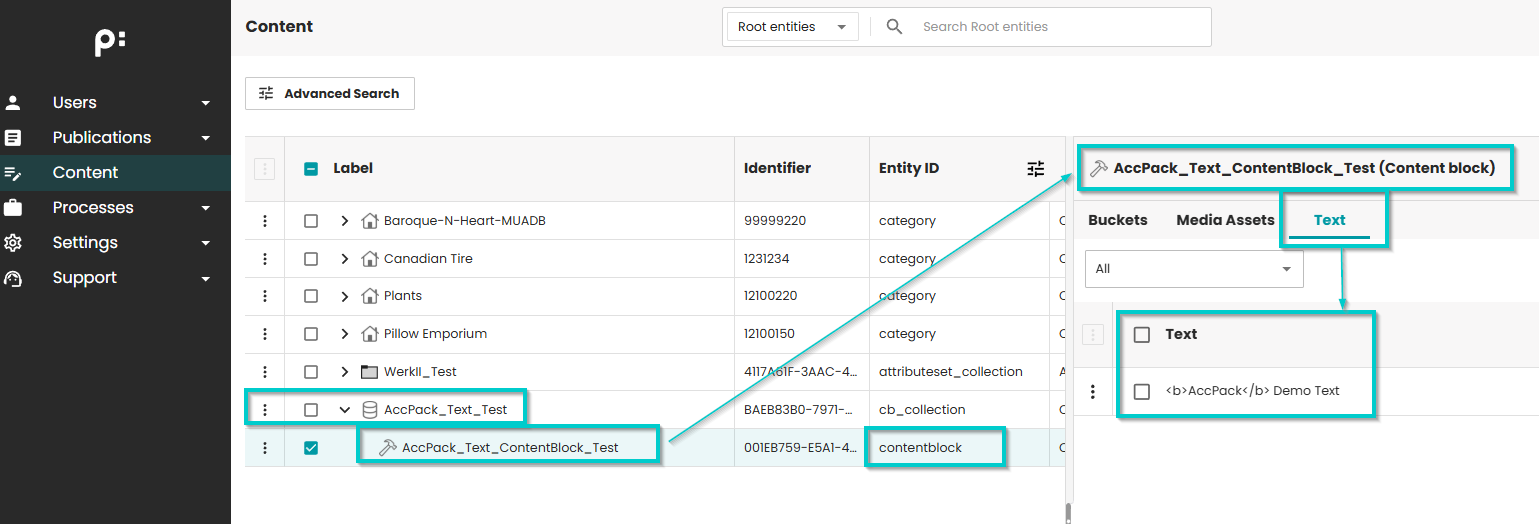
Figure 2: Placeholder Options configuration for text entity
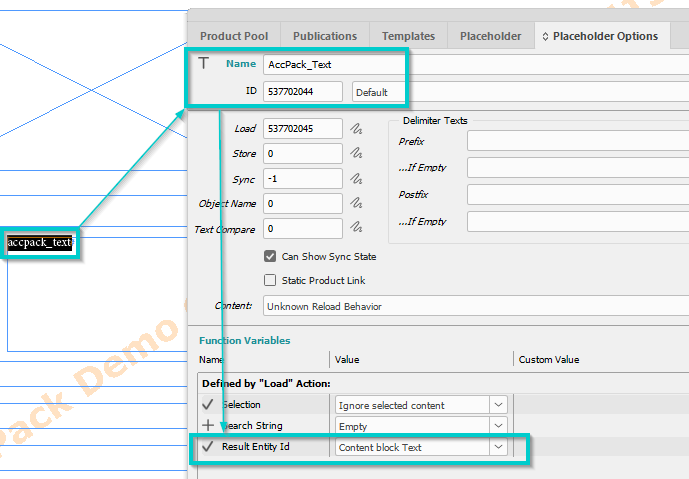
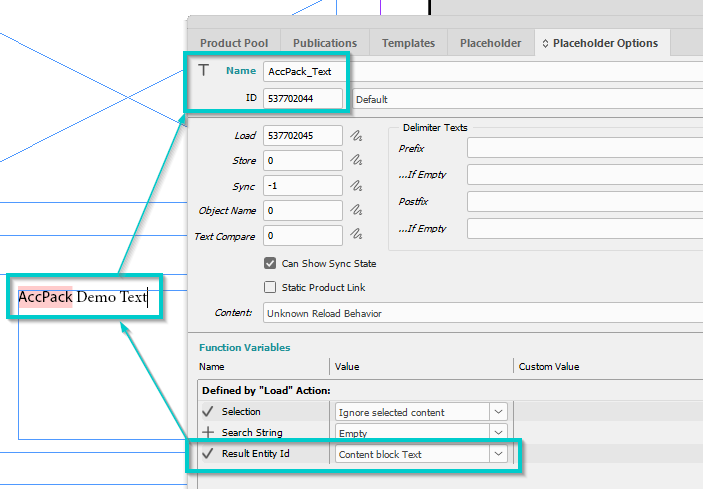
Figure 3: Result
Further Reading
-
AttributeKeyValue — for key value records rather than text records
-
StaticContent — for fixed text stored in a config file rather than the database