AttributeKeyValueList
Overview and Architectural Decision
1. AccPack_AttributeKeyValueList
AccPack_AttributeKeyValueList is a generic list of key value placeholder that gets a list of key values of a bucket or planned bucket. Supports both static key lists and dynamic lists built from regular expressions.
2. Architectural Decision: KeyValue vs. KeyValueList
The AccPack_AttributeKeyValueList placeholder is a specialized extension of the standard AccPack_AttributeKeyValue. While the standard variant is engineered for a strict 1:1 key-value mapping (retrieving one value for one specific key), the List variant is designed to manage 1:N relationships and complex data aggregation.
Core Decision Rule: The AccPack_AttributeKeyValueList placeholder is the primary choice for project sections—such as "Benefits" or "Technical Specifications"—where data must be grouped, filtered via regular expressions, or retrieved through complex logic gates involving multiple keys from a single placeholder instance.
| Placeholder | Primary Function | Return Type | Ideal Use Case |
|---|---|---|---|
| AccPack_AttributeKeyValue | Retrieves a single specific key-value record from a bucket or planning record. | String (Single Value) | Standard product attributes (e.g., Color, Weight, Short Description). |
| AccPack_AttributeKeyValueList | Collects and aggregates multiple key-value records based on logic gates or patterns. | List of Strings | Feature lists, technical specification blocks, or dynamic attribute sets. |
Note on Compatibility: The AccPack_AttributeKeyValueList placeholder is fully compatible with both planning records and bucket records, allowing for flexible implementation across both structured and unstructured content models.
Technical Specification
Placeholder type: Text
Entity: Works with planning records and bucket records
Function Variables
The following parameters configure the placeholder's retrieval and formatting logic. Note that the Key field uses the semicolon ( ; ) as the primary delimiter for separating multiple search entries.
-
Key: Defines static keys (delimited by ; and processed via logic gates) or dynamic regexp: patterns.
-
Designator: Fields to display: "Value without Unit", "Value with Unit", "Label", "Symbol", "Unit", or "Parent Identifier."
-
Separator: Character used to join retrieved values: "Line Break", "Comma", "Semicolon", or "Space."
-
Sub Separator: Character used to join sub-keys defined by the AND (+) logic gate.
-
Selection: Determines retrieval logic for assigned planning records (see Selection Variable Logic below).
-
Result Entity ID : Specifies the entity identifier for the key-value result (e.g.,
product_attribute).
Developer Specifications
-
Data Query :
com.priint.accpack.placeholder.dataquery.getListKeyValueOfBucketOrPlannedBucket -
Data Mapping :
com.priint.accpack.placeholder.datamapping.KeyValueListDataMappingPlugin.listKeyValueByKeyToListString -
Data Processing : This placeholder supports three primary methods for content transformation:
tidyToXhtml: Converts HTML into valid XHTML (body content only) viacom.priint.pubserver.comet.bridge.dataprocessing.HtmlFunctions.tidyToXhtml.htmlToPlainText: Strips all HTML tags viacom.priint.pubserver.plugins.dataprocessing.StringFunctions.htmlToPlainText.htmlToTaggedText: Converts HTML to priint:suite tagged text viacom.priint.pubserver.comet.bridge.dataprocessing.HtmlFunctions.htmlToTaggedText.
Global Configuration Logic
1. Context Definition
Generic placeholders default to using the _language and _country parameters. For high-standard implementations, this behavior should be configured globally within the project settings to ensure consistency across the publication.
For more details please kindly check Context Definition
2. Selection Variable Logic
The "Selection" variable determines behavior when a planning record is assigned to the placeholder.
-
Ignore selected content: Recognizes all key-value records in the parameter bucket.
-
Only selected content: Only returns values if they are explicitly selected in the planning record.
-
Use all if no content selected: Acts as the fallback state, returning all available records from the bucket.
Technical Environment & Deployment
Consultants could find guide for deployment of generic placeholders here: installation & configuration
Demonstration and Implementation Examples
Demo can be checked using:
-
Pre-defined template:
-
Name: AccPack Demo Generic Template
-
ID: 410471354
-
Figure 1: Placeholder Options configuration
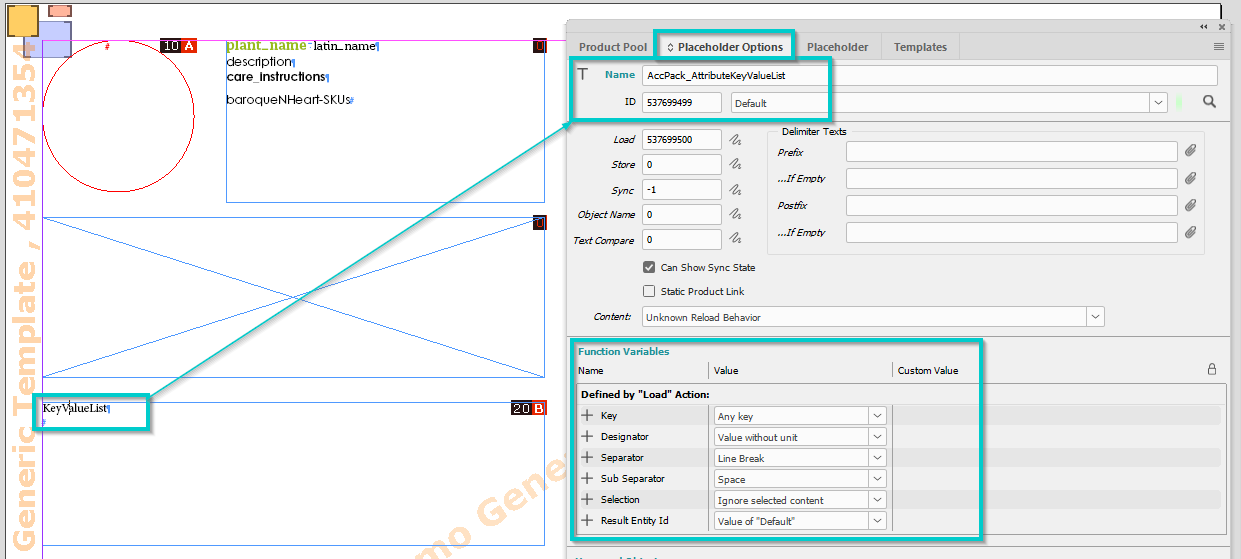
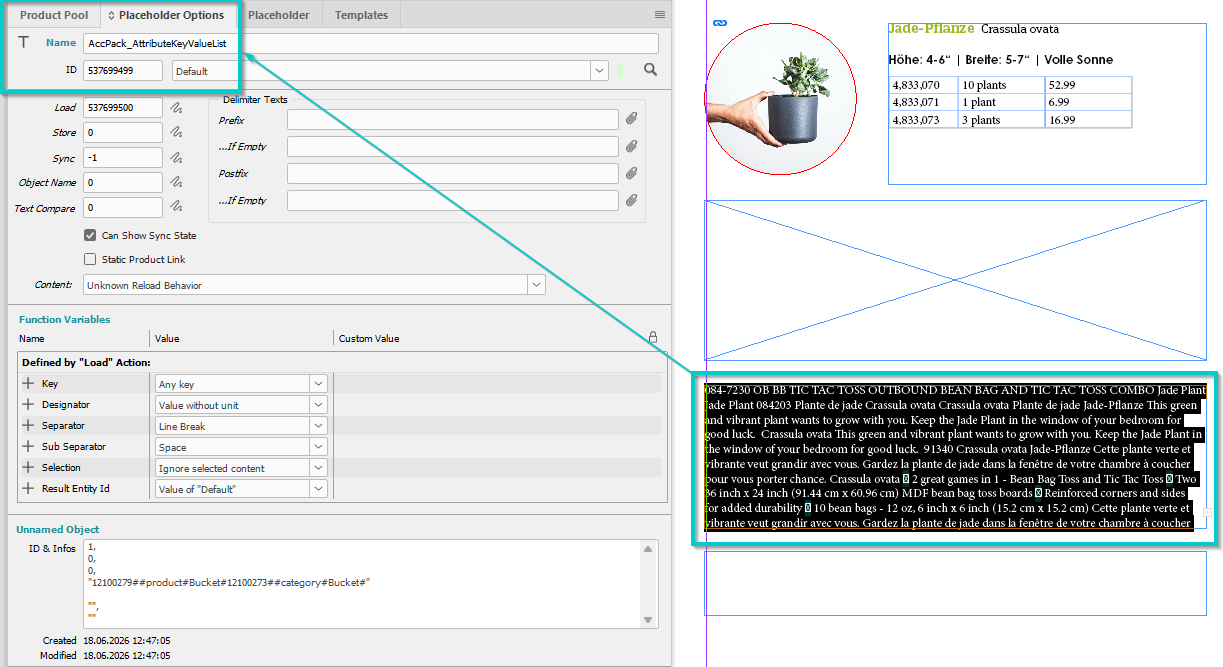
Figure 2: Result
Implementation Logic: Static and Dynamic Lists
Static Lists
When processing strings containing multiple keys, the placeholder evaluates logic gates to determine how values are combined. The semicolon ; acts as the primary separator between different logic groups.
Example Logic String:
Benefits1+Technical1+Technical3;Benefits2/Technical2
-
AND Gate (+ symbol):
- Splits the entry into sub-keys.
- Retrieves attribute values for each sub-key.
- Values are only appended if data exists.
- A common label is assigned for the resulting nested list.
-
OR Gate (/ symbol):
- Splits the entry into sub-keys.
- Appends the label with a " / " string.
- Retrieves only the first non-empty value found among the sub-keys.
Dynamic Lists (Regular Expressions)
Dynamic attribute collection is triggered by the regexp: prefix.
-
Collection: Attributes are matched against the regex. For example,
regexp:Benefits(.*);regexp:Technical(.*)retrieves all keys starting with "Benefits" or "Technical." -
Retrieval: For every match, the system calls the same underlying retrieval functionality as the standard AccPack_AttributeKeyValue placeholder, ensuring architectural inheritance and consistency. Empty values are ignored.
-
Joining: All valid retrieved values are joined into a final string using the user-defined Separator.
Further Reading
-
AttributeKeyValue — retrieves a single key value
-
AttributeKeyValueFromParent — retrieves a key value from the parent bucket