Translation (Optional)
Applies translated labels to key value keys and media asset labels.
Key Value Translation
Supported from version 1.4.7
Use this when the key of a key value is used as the column header in the Excel file, but you want to display a different label in the UI.
The header column provides the key; the body row provides the value. A separate sheet defines translated labels per context.
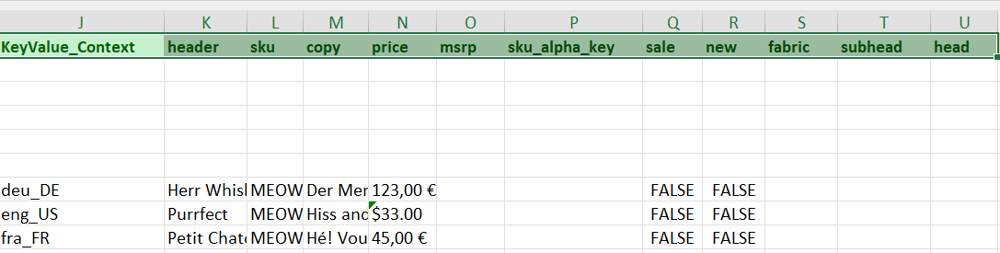
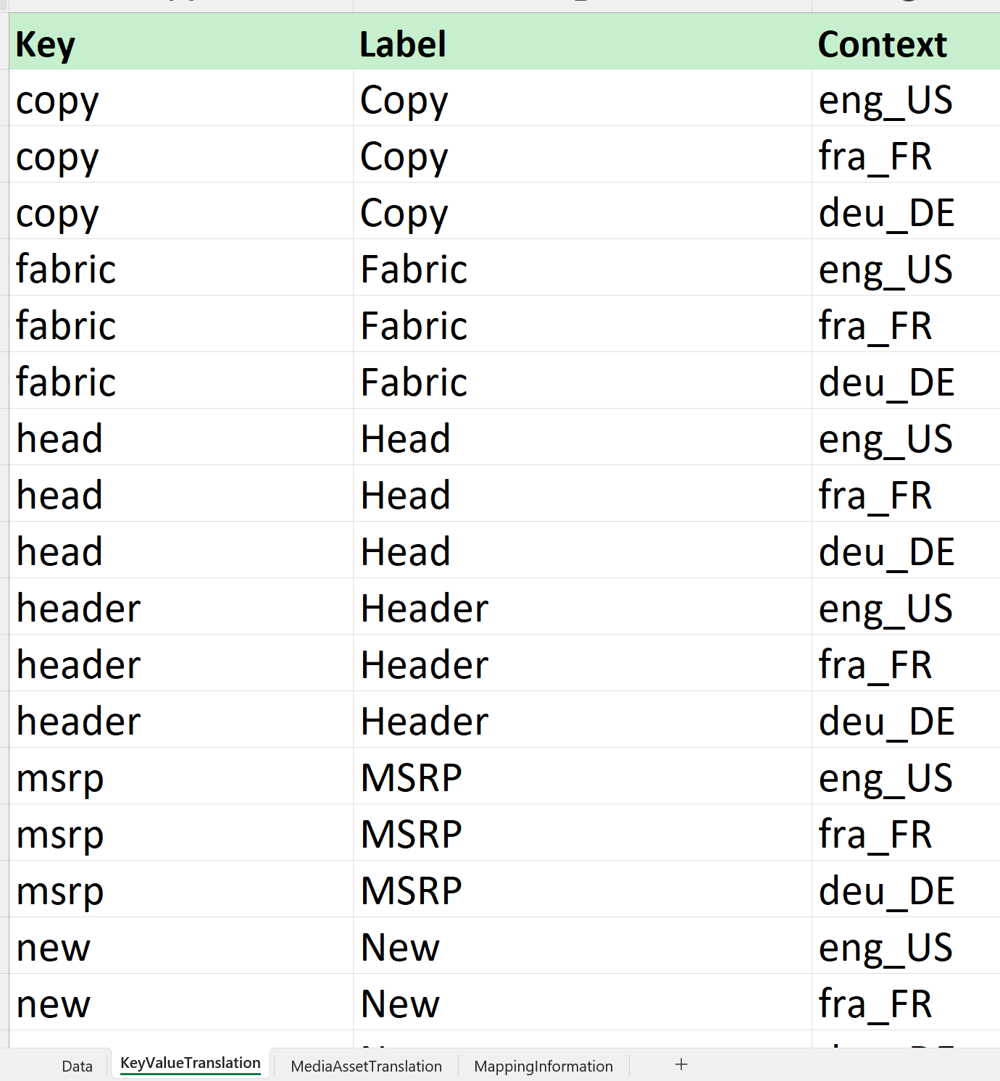
Add the translation configuration to the <mappings> section:
<mappings>
    <translations>
        <translation sheet="KeyValueTranslation" keyColumn="Key" valueColumn="Label" contextColumn="Context" applyFor="KEYVALUE"/>
    </translations>
</mappings>
| Attribute | Description |
|---|---|
sheet | Name of the translation sheet |
keyColumn | Column name containing the key value key |
valueColumn | Column name containing the translated label |
contextColumn | Column name containing the context for this translation |
Media Asset Label Translation
Not yet supported.