Import-Based Rendering
Overview
Import-based rendering lets users insert or update data in the MUA database before they build their catalog in the Web2Publish application.
For installation and configuration, see Installation. This page covers the setup notes that are specific to import-based rendering. For a full walkthrough of this rendering method, see Example.
How It Works
Import-based rendering runs as a wizard made up of the shared Detail Information and Rendering steps (see General Reference), plus the step below.
In the Detail Information step, the duplicate_post_process parameter has a single purpose: it lets a Camunda process duplicate the physical files of the publication template, if they exist. The demo does not need it, so you can ignore it.
Camunda Process Details
W2P_GENERIC_IMPORTING_AND_PLANNING
Import-based rendering needs this process. It imports data into your system.
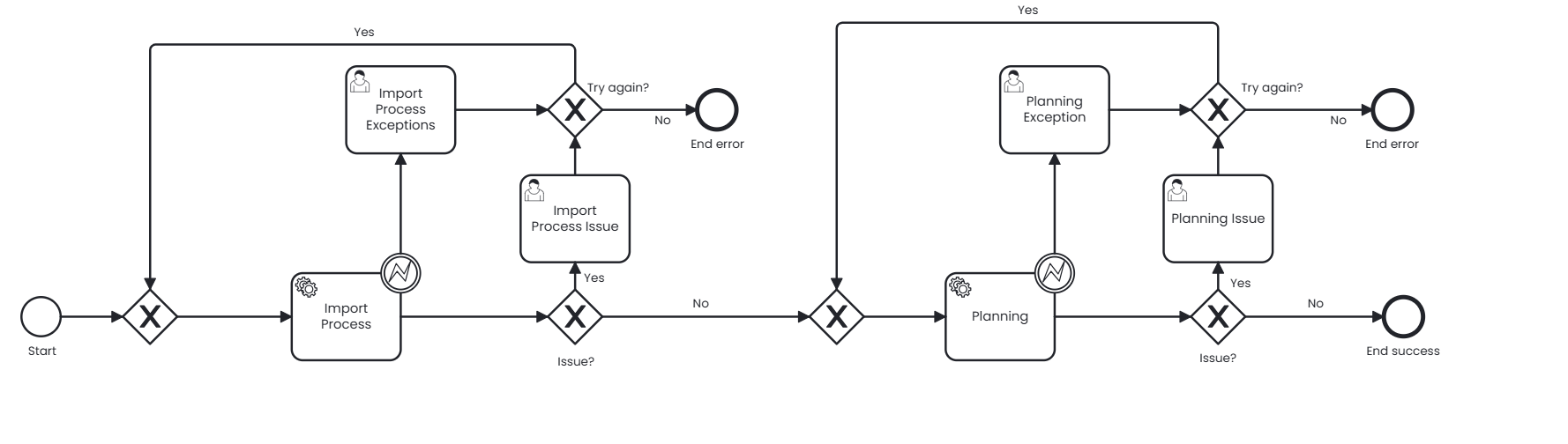
Service task Import process:
importConfigId:DefaultsuccessFolder:/opt/pubserver/userdata/hotfolder/success/errorFolder:/opt/pubserver/userdata/hotfolder/error/importFolder:/opt/pubserver/userdata/hotfolder/import/productEntityId:product
These parameters use default values. Only change the folder paths so they match paths that exist on your operating system.
The other service tasks do not need these parameters.
W2P_GENERIC_DOCUMENT_RENDERING
Renders the document.
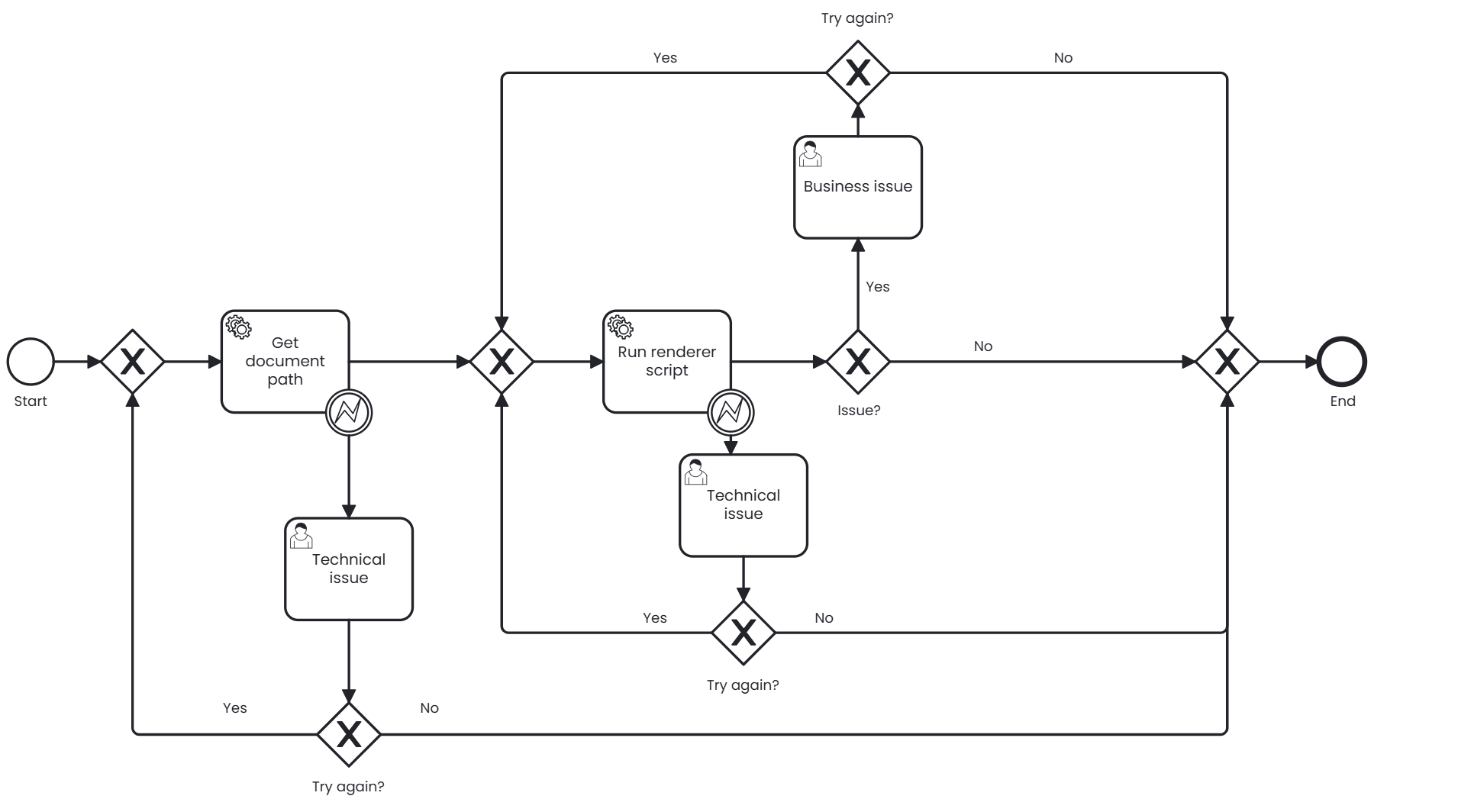
No parameters required.
W2P_GENERIC_CREATE_PDF_DOCUMENT
Creates the PDF of a document through PDF profiles.
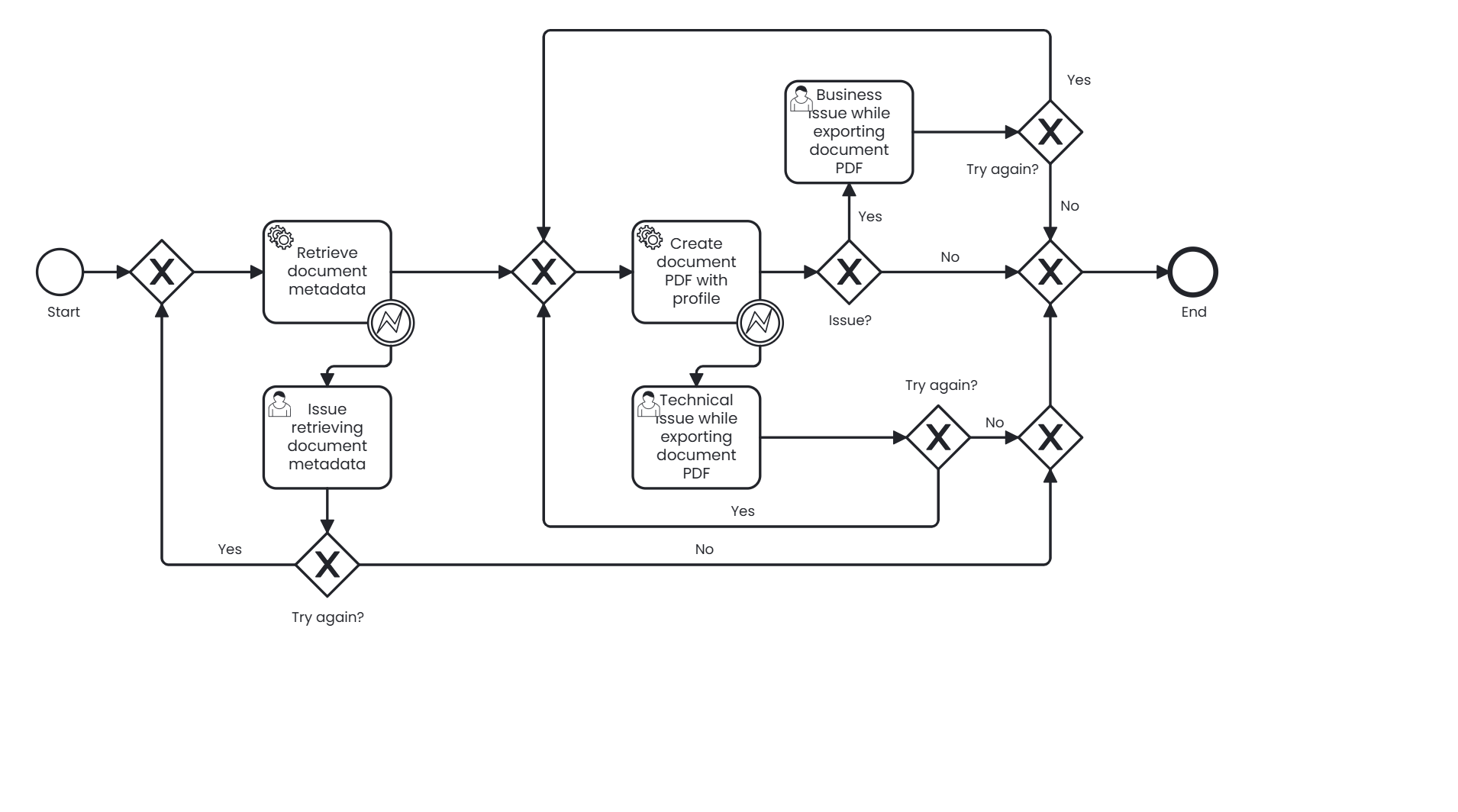
No parameters required.
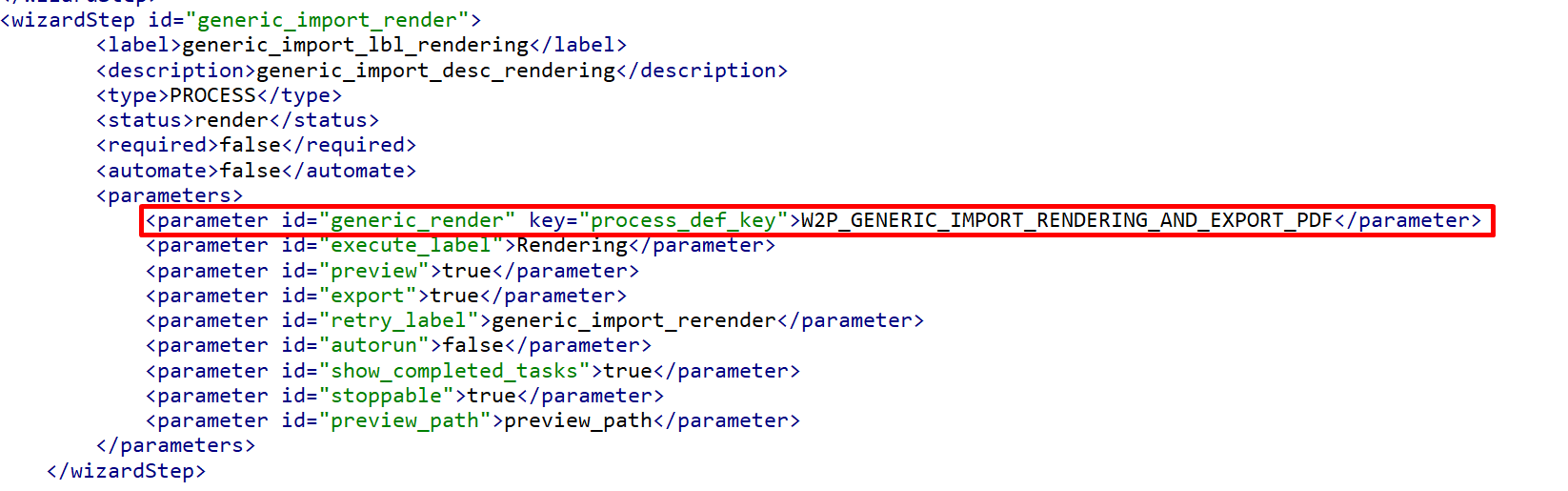
W2P_GENERIC_IMPORT_RENDERING_AND_EXPORT_PDF
The main process for Web2Publish. It gets the document planning, renders the PDF through profiles, and creates the download button.
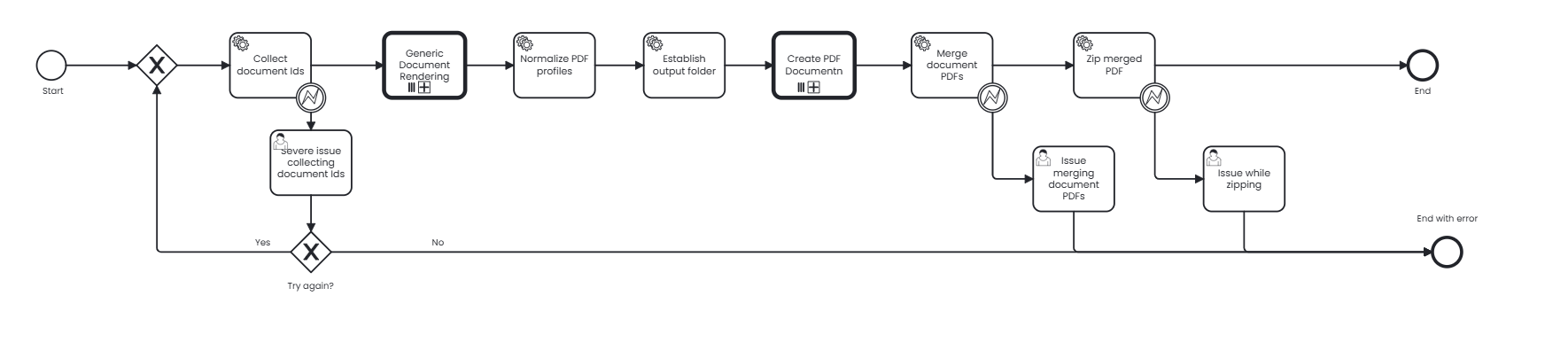
No parameters required.
Wizard step definition
Import-based rendering has four separate steps:
generic_import_detail: the user enters the publication details.generic_import: the example uploads Excel data into the system.generic_import_planning: after the import, this step reviews the products and items.generic_import_render: the system renders and enables the PDF download button when the process finishes.
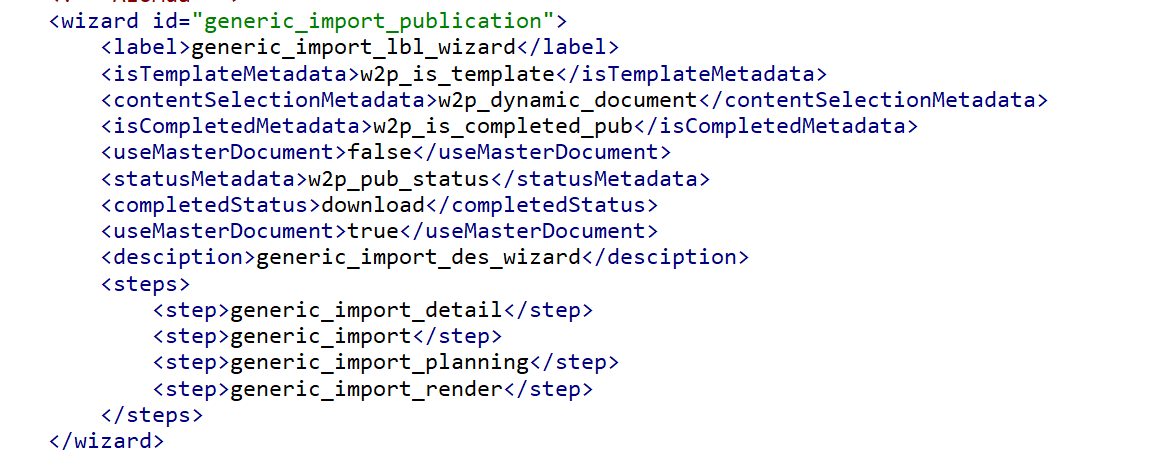
In step 2, the Camunda process W2P_GENERIC_IMPORTING_AND_PLANNING imports and plans the data before rendering.

In step 4, the Camunda process W2P_GENERIC_IMPORT_RENDERING_AND_EXPORT_PDF runs the rendering. The user chooses a profile before the render starts.