Examples
We often have the requirement to display articles for a product in a table. For this reason we provide this configuration as an example by default, that will let you build a simple table from the children article of your product.
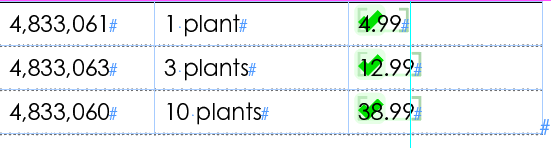
We will display these attributes SKU, Quantity and Price in the table.
Simple Table with Placeholder
The table contains 3 columns.
- First column:
SKUof the article - Second column:
Quantityof the article - Third column:
Priceof the article. Cell is linked to a specific placeholder.
XML Configuration:
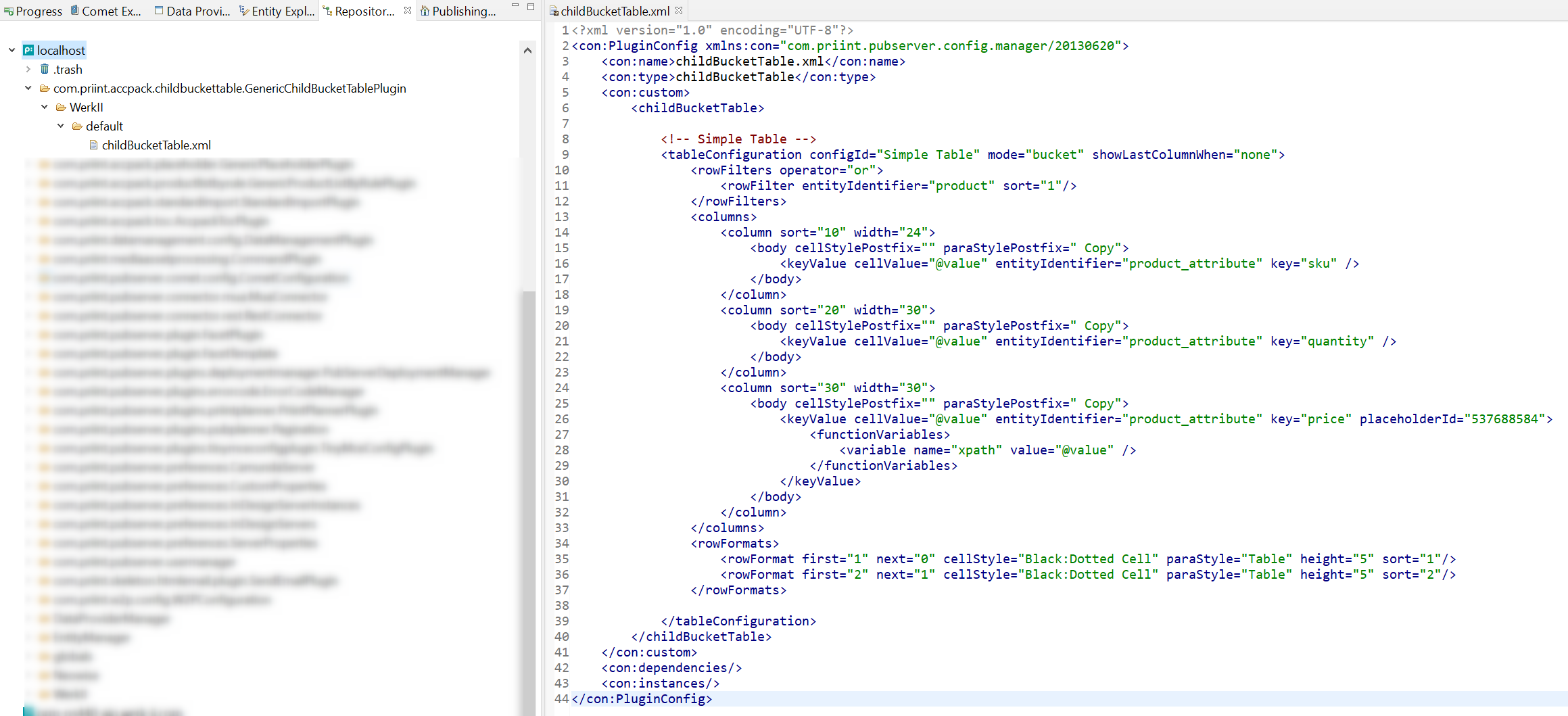
The XML configuration directly controls how table is rendered in the output:
<tableConfiguration>: Main element of table configuration. It defines the table structure and formatting.mode="bucket": Table is built by a bucket.<rowFilters>: The filters to select which child buckets are included as rows in the table.entityIdentifier: The entity identifier of the child buckets to be included.
<column>: Define the columns of the table.width: width of the column.sort: Sorting order of the column.<body>: Body cell configuration of the column.<keyValue>: The key value to be displayed in the cell. It can be a static value or a placeholder.placeholderId: Which's placeholder to be used in the cell.<functionVariables>: All placeholder options that placeholder supports.
For a detailed reference please take a look here.