Web2Publish - Version 2.0 release
The build name on FTP: web2publish_4.8.0.1.zip
This is the second Web2Publish release, following V1.0 from last phase. It ships with priint:suite 4.8. Most of the work this time went into the wizard: Global Buttons, multi-document product assignment, inline editing in the Planning Table, and an updated Customization step.
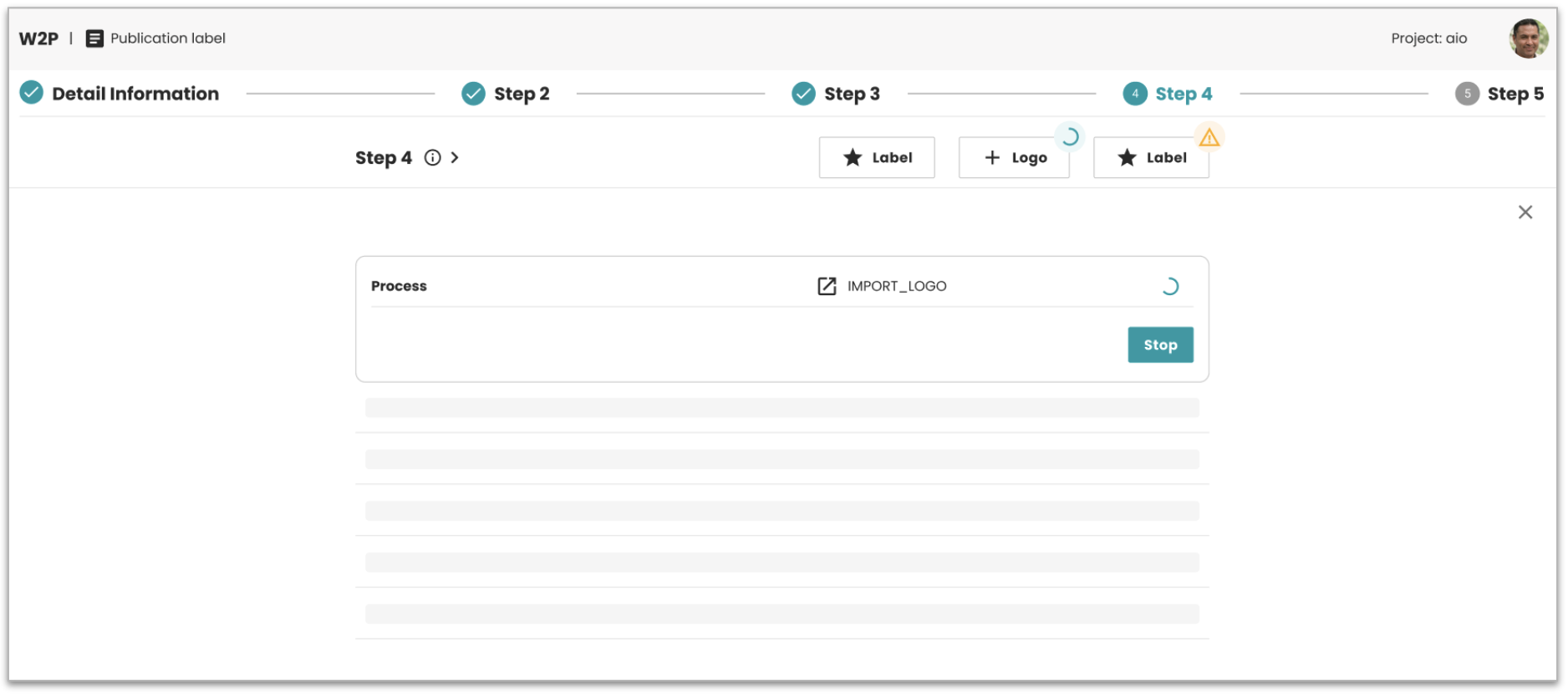
Global Buttons can now be configured inside any wizard step. When a user
clicks one, the process runs in the background while they keep working.
A notification appears when it is done and the results show up in the
same step. No need to leave the wizard to trigger a process or wait for
data to refresh.
For detailed information about the key features and configuration of Global Buttons, see the Global Buttons documentation.
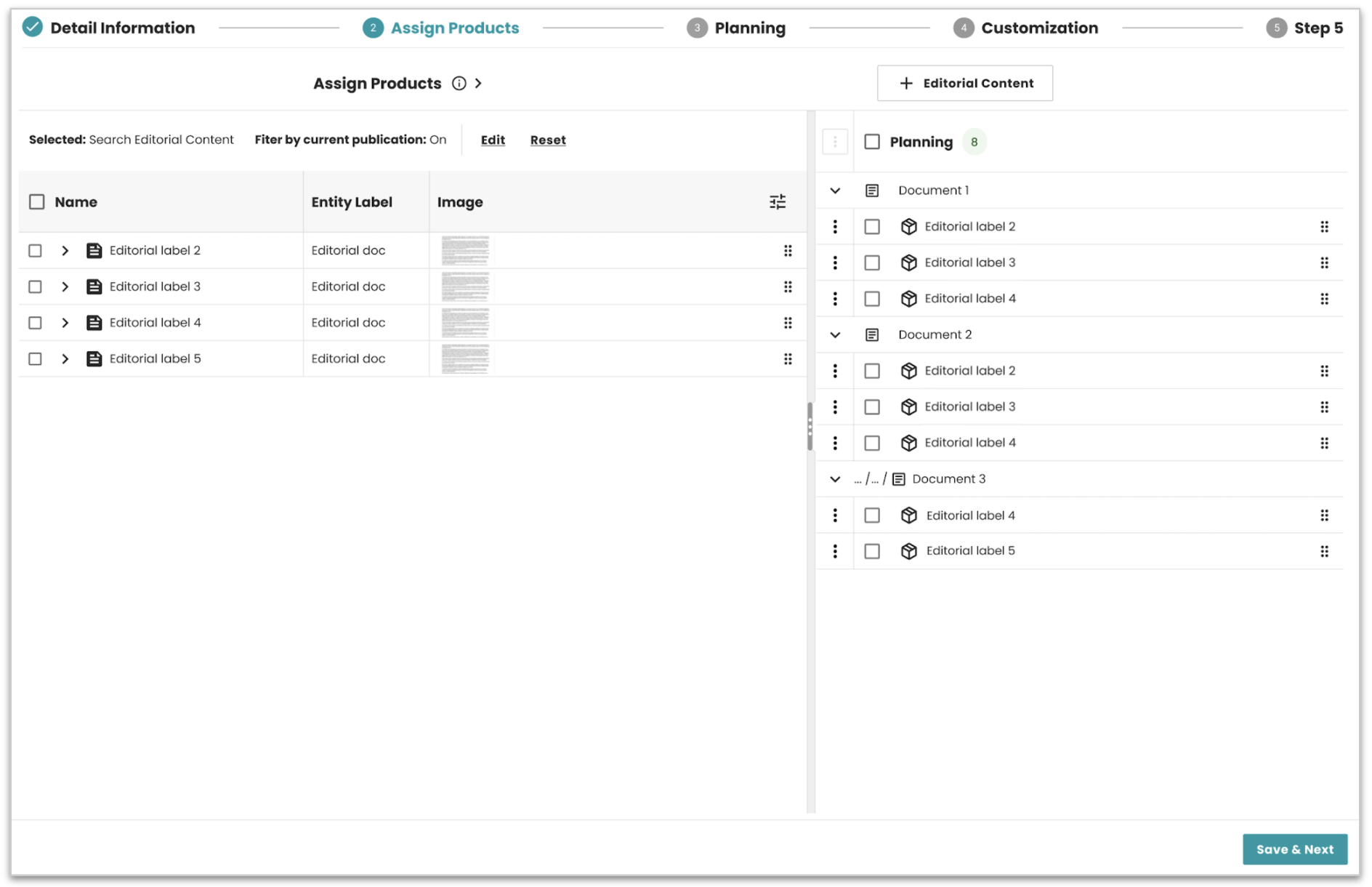
In Assign Products, users can now assign products across multiple documents in a single step, without repeating the action per document. The UI was also updated to make the selection clearer. And in the Planning Table, page and product templates can be assigned directly inline, with assignments validated before saving.
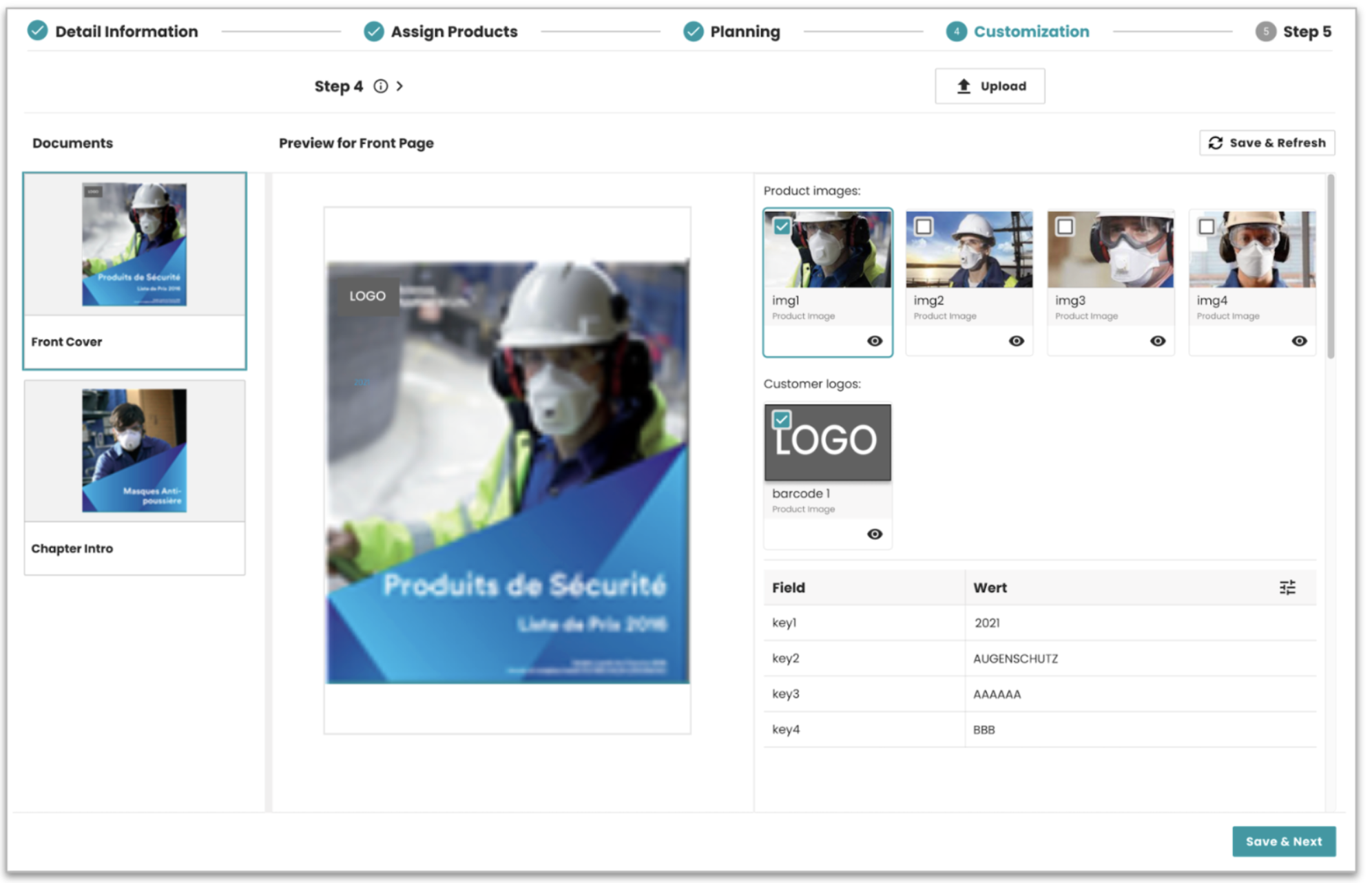
The Customization step got a cleaner structure. The right panel now
groups media assets by entity type, for example "Product images" or
"Customer logos", instead of one flat list. Assets can also be filtered
by a custom data provider, so users only see what matches their publication. Group
labels, entity types, and the matching data provider all come from configuration.
If no data provider is set, no filtering is applied.
For detailed information about the key features and configuration of Customization, see the CUSTOM_DOCUMENTS step documentation.
On top of that, a set of smaller changes smooths out the wizard flow:
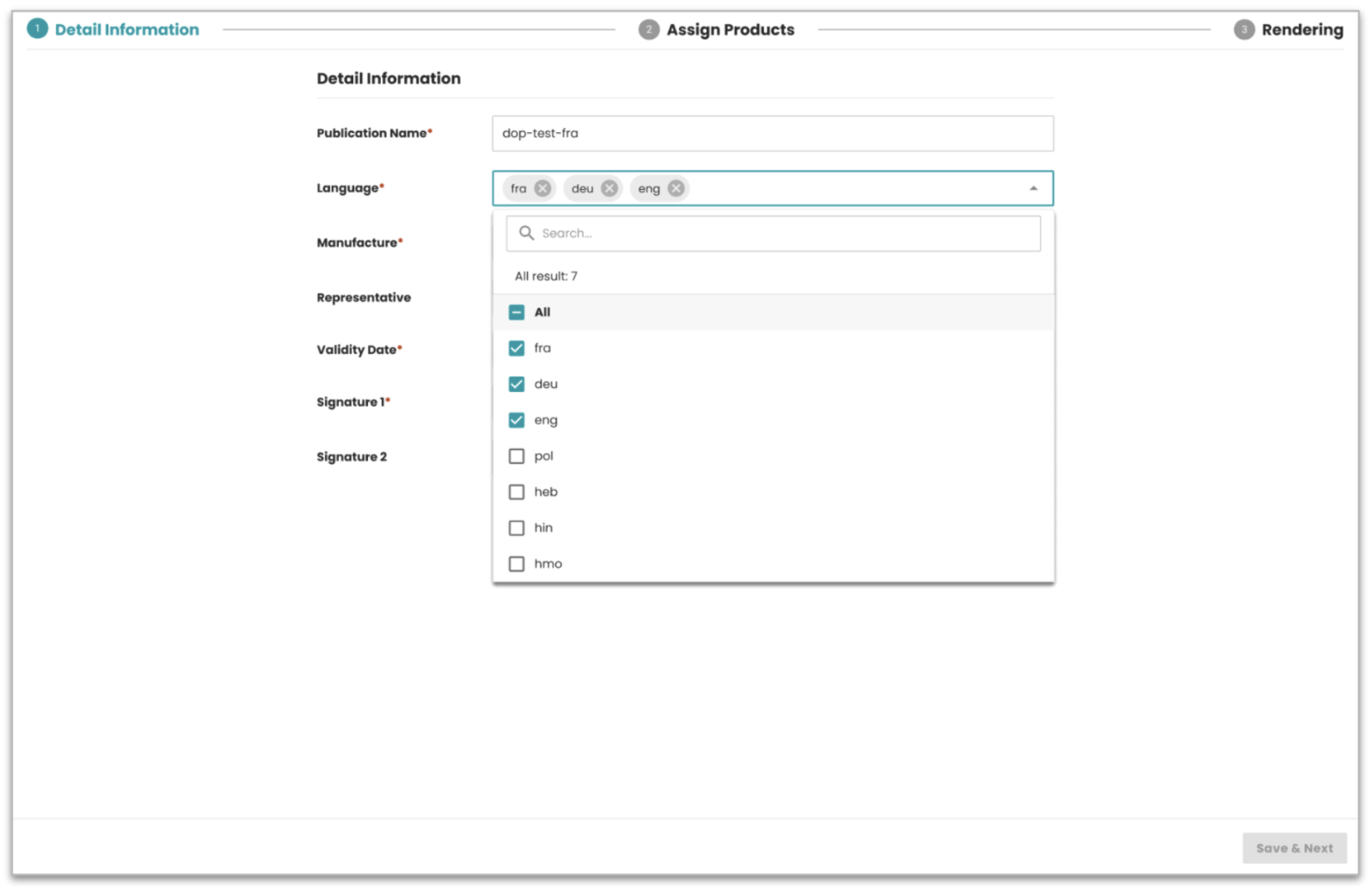
bucket selection directly in the publication creation form, multi-select
support for parameters, a configurable dropdown filter in the Table
Selection step, and Edit links in the Product Assignment and Assortment
steps so users can adjust a search or an assortment without leaving
where they are.
Bugs and improvements (47)
47 fixes and improvements went out since the last phase:
- ADMIN-3177 The Content module now supports loading with a predefined Advanced Search. Results show immediately on load without any extra action.
- ADMIN-3326 CTA placement made consistent across 6 wizard types: FORM, PROCESS, TABLE_SELECTION, PLANNING_TREE, CUSTOM_DOCUMENTS, PRODUCTS_ASSIGNMENT
- ADMIN-3279 Product Assignment now keeps selected values consistent before and after rendering, even when page order changes
- ADMIN-3203 Content metadata columns now use lazy loading in Assign Products step for better performance
- ADMIN-3136 Tree-table in Content Assignment wizard now supports default columns configured in JSON
- ADMIN-3135 Flipping-book preview in Review mode now displays the first page and cover pages correctly
- ADMIN-3245 Tree-table column handling improved: backend config is source of truth, browser stores your preferences, new columns added and removed columns cleaned up automatically
- ADMIN-3177 Default Advanced Search now supported on initial content load
- ADMIN-3275 Login flow updated to use SSO login URL for correct authentication when accessing via direct URL
- ADMIN-3531 Publication deletion now removes the publication and all related documents consistently
- ADMIN-3481 Clear (x) button added for single dropdown fields in FORM step
- ADMIN-3014 Bucket selection now available in the publication creation form
- ADMIN-3035 Product list repositioned to the left side in Product Assignment wizard
- ADMIN-3483 Fixed process steps moving forward automatically after execution
- ADMIN-3463 Fixed Save and Next enabled when required fields were missing
- ADMIN-3409 Fixed required validation not applied for dependent fields
- ADMIN-3408 Fixed required validation failing for multi-value combobox
- ADMIN-3480 Fixed Save and Next staying enabled for invalid dependent fields
- ADMIN-3598 Fixed selected media resetting to default image after rendering
- ADMIN-3594 Fixed multiple issues after upgrade: preview not shown, assigned products not visible, plannings not saved correctly
- ADMIN-3622 Fixed Save and Next incorrectly disabled in Assign Products step after navigating back from rendering
- ADMIN-3827 Fixed Save and Next disabled in non-required PROCESS step
- ADMIN-3855 Fixed drag and drop breaking after selecting a row in Assign Products step
- ADMIN-3756 Fixed global button status not refreshing after closing the modal
- ADMIN-3722 Fixed long button labels breaking the button bar layout
- ADMIN-3686 Fixed scrollbar appearing in background while global modal is open
- ADMIN-3730 Fixed users unable to type in text fields inside PROCESS step forms
- ADMIN-3655 Fixed PDF preview showing outdated content after re-render
- ADMIN-3681 Fixed edit icon overlapping the card border
- ADMIN-3353 Fixed TABLE step validation blocking navigation when required data is empty
- ADMIN-3316 Generic Process UI now auto-expands Open Tasks section when a user task is available
- ADMIN-3313 Added UI validation for missing or incorrect configurations, with clear error messages instead of generic ones
- ADMIN-3301 Fixed API execution order in Process step: /done now called before /execute
- ADMIN-3300 Fixed duplicate API call triggered on row click in Product Assignment
- ADMIN-3292 Fixed tooltip truncating long item names in Product Assignment
- ADMIN-3269 Fixed multi-page documents showing as a single combined image in preview
- ADMIN-3243 Updated deletion warning message to reflect correct behavior across Start, Category, and My Jobs pages
- ADMIN-2809 Fixed Clear All in Advanced Search returning wrong bucket list, required fields now enforced before search runs
- ADMIN-3263 Fixed process variable documentId incorrectly set to publication ID during rendering
- ADMIN-3244 Fixed wrong Publication Type label shown when multiple types are configured
- ADMIN-3202 Fixed disabled columns not moving to the top in column settings
- ADMIN-3186 Fixed expand and collapse actions also selecting the row in Content Assignment tree
- ADMIN-3179 Fixed sidebar not showing correctly during initial load after login
- ADMIN-3178 Fixed Advanced Search with DefaultSearch not working correctly on reset
- ADMIN-3043 Fixed missing checkbox label in Assign Products Advanced Search option
- ADMIN-3077 Fixed /pdf/preview returning 500 error, updated Access Denied screen, removed redundant icon tooltips on My Jobs page
- ADMIN-3184 Fixed empty value allowed for bucket parameter causing an exception
System compatibility
| Dependency | Min version | Max version |
|---|---|---|
| PubServer | 4.8.0.685 | 4.8.0.685 |
Where to start with Web2Publish
Along with this release, we reworked two documentation pages to answer a question we heard often: how do I actually get started with this application? If you are new to Web2Publish, or setting it up for the first time, read these two first.
Overview explains what Web2Publish is from the user's point of view: a wizard that guides a publication step by step, from entering data and assigning products to the final rendering. It also introduces the core concepts behind it, like Publication Types, template publications, and how priint:bpm processes drive each step.
Setting up the Publication shows what happens in the background and how to prepare it: the metadata W2P requires, creating the template publication in priint:planner, assigning templates and documents, and adjusting the configuration to match your project.
In short: the Overview tells you what the application does and why, the setup guide tells you how to make it run in your project.